
What you’ll build today: Nothing yet — but by the end, you’ll know your ESP32 and have everything ready to start building in Lesson 2!
Have You Ever Wondered How Smart Devices Work?
Your phone, your smart speaker, even some toys — they all have tiny computers inside. Not like your laptop, but much smaller and designed to do one thing really well.
These tiny computers are called microcontrollers.
What’s a microcontroller?
Think of your brain. It can sense things (is it cold?), think about them, and tell your body what to do. A microcontroller works the same way:
- Sense — is the button pressed? Is it dark outside?
- Think — run your code!
- Act — turn on a light, make a sound, send a message
Meet the ESP32
The ESP32 is one of the most popular microcontrollers in the world — used by students, hobbyists, and real engineers.
What makes it cool:
- Two processors working together (like two brains!)
- Built-in WiFi and Bluetooth — it can talk to your phone
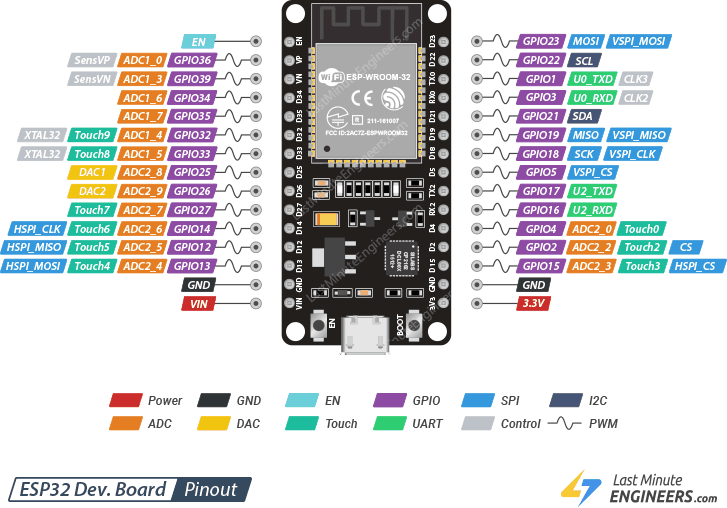
- Lots of pins — those tiny metal legs let you connect LEDs, buttons, and sensors
- Very cheap — usually less than a cup of coffee
What Will We Build in This Series?
Over 12 lessons, you’ll build real things:
- 💡 Make an LED blink — the “Hello World” of hardware
- 🎵 Play a melody with a buzzer
- 🌡️ Read temperature from a sensor
- 🚦 Build a traffic light
- 🎮 Build a reaction speed game
- 🔔 Build a burglar alarm
All written in Rust — a programming language used by professional engineers at places like Microsoft, Google, and NASA.
What is Rust?
Rust is how you talk to the computer. Instead of words, you write instructions — and the computer follows them exactly.
Rust Concept Box 📦
A program is a list of instructions for a computer. It follows them one by one, in order. Rust is special because it catches your mistakes before the program runs — like a spell-checker, but for code!
Let’s Get Set Up
⚠️ Hey grown-up! This section is for you. Setup takes about 20 minutes. The kid can watch and learn what each step does!
What you need:
- ESP32 development board (ESP32-WROOM-32 recommended)
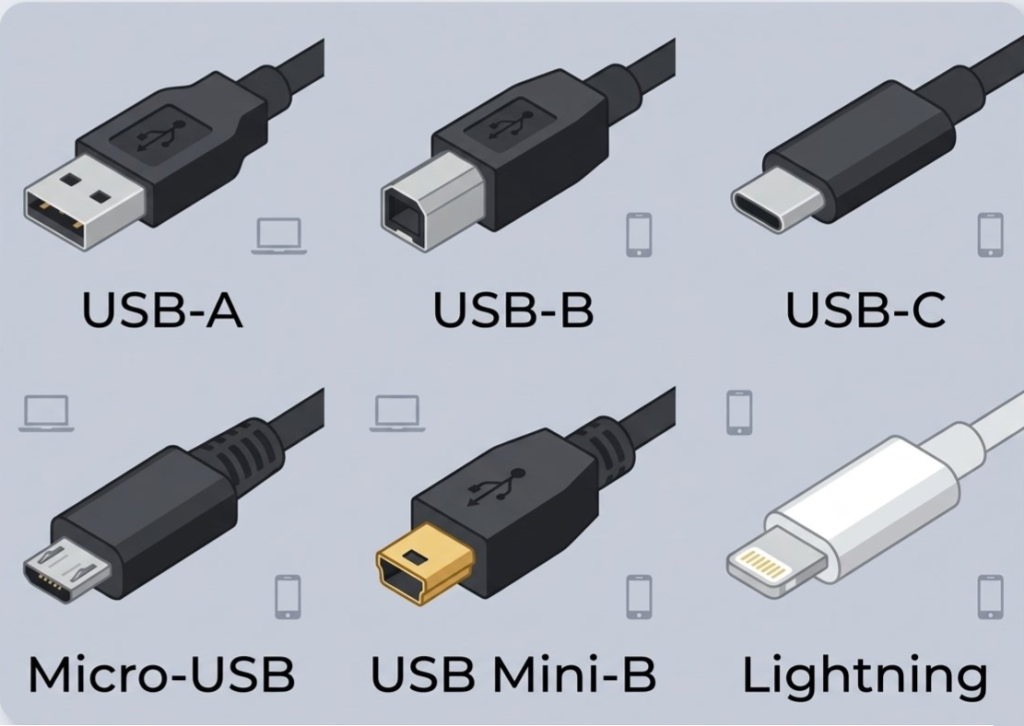
- USB cable (check your board — Micro-USB or USB-C)
- A computer (Windows, Mac, or Linux)
Step 1: Install Rust
On Mac or Linux — open Terminal and run:
curl --proto '=https' --tlsv1.2 -sSf https://sh.rustup.rs | shOn Windows — download and run the installer:
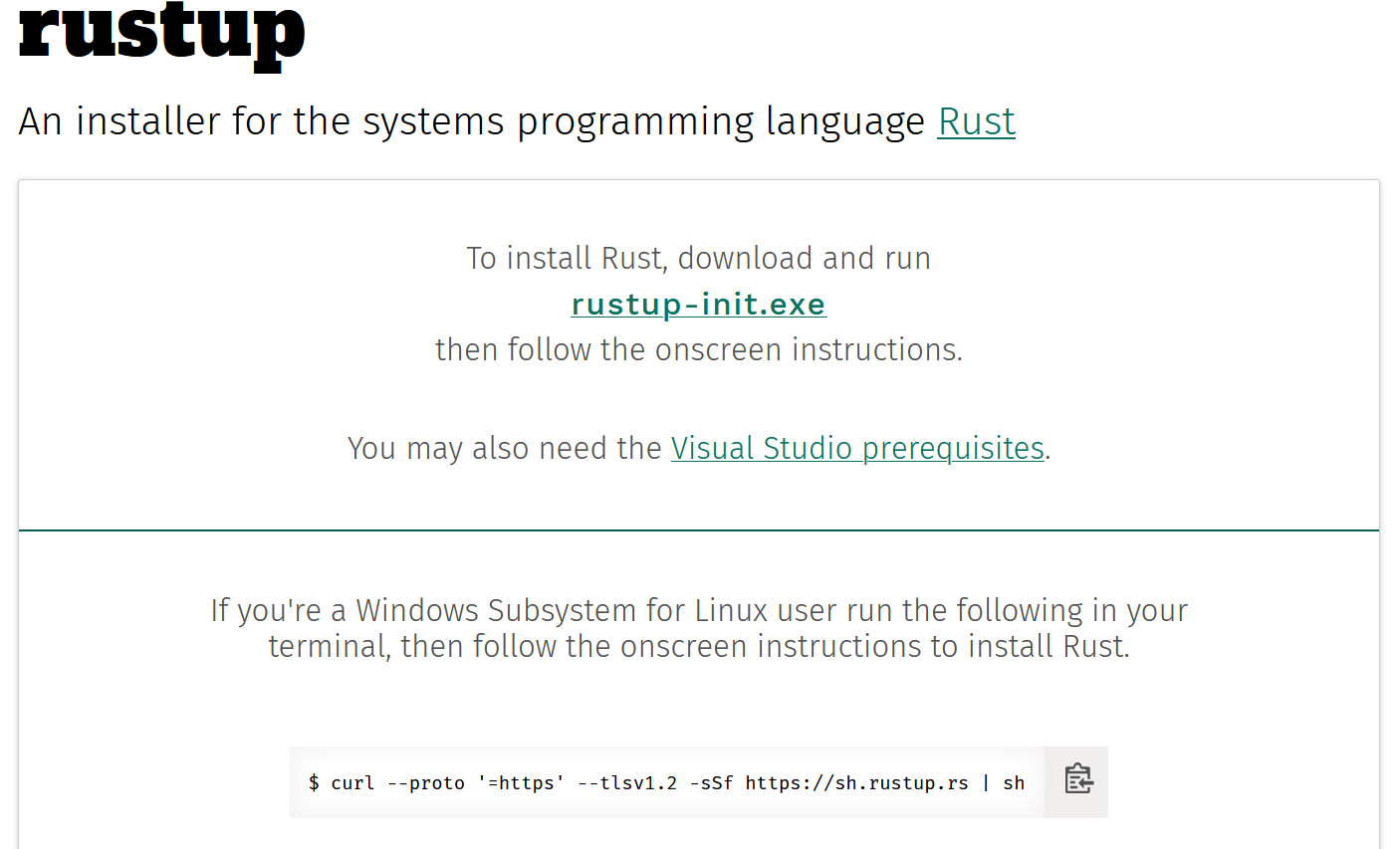
- Go to rustup.rs in your browser
- Click the big download button for Windows
- Run the
.exefile and follow the steps
When it asks about installation options — just press Enter to choose the default. ✅
Step 2: Install ESP32 Rust tools
cargo install espup
espup installFollow the instructions it prints — you may need to restart your terminal.
Step 3: Install the flash tool
cargo install espflashStep 4: Verify everything works
Plug in your ESP32 via USB, then run:
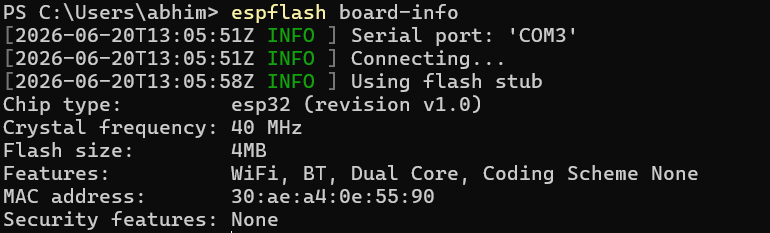
espflash board-infoIf you see chip information printed — you’re ready! High five. ✋
You should see something like the following:
Step 4-1: Troubleshooting WindowOS not able to connect to find ESP32
Sometime Step 4 fails with error No serial ports could be detected this error could be due to missing USB-serial driver. The common driver which generally work is CP210x USB to UART Bridge VCP Drivers
Your Mission ✅
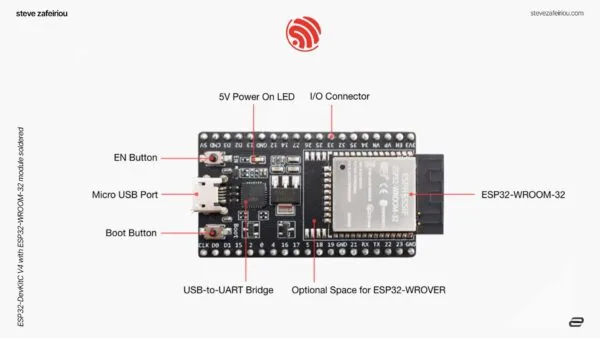
- Look at your ESP32 board — can you find the USB port? The pins? The tiny chip in the middle?
- Complete the setup steps with a grown-up
- Run
espflash board-infoand see your board respond
Next lesson: We write our first Rust program and make an LED blink! 💡